Type it.It starts.
No wheels to spin, no digits to punch in. Write how long, the way you would say it, and the timer is already running.
Android 8 and later · No account · No ads
Write it however it comes
TypeTick understands what you write, in English and Italian.
pasta 10 minA timer with its own name.
until 5:30 pmCounts down to that time.
1h30Hours and minutes, no units needed.
90 sSeconds, minutes, hours: as it comes.
+5Five more minutes on the running timer.
pomodoroFocus and break cycles.
stopwatchCounts up instead.
Always in view
The time stays on top of everything
Leave the app and a small floating pill keeps counting over whatever you are doing. Tap it to pause, add minutes or stop; drag it anywhere; drop it on the × to close it. At zero it pulses until you touch it.
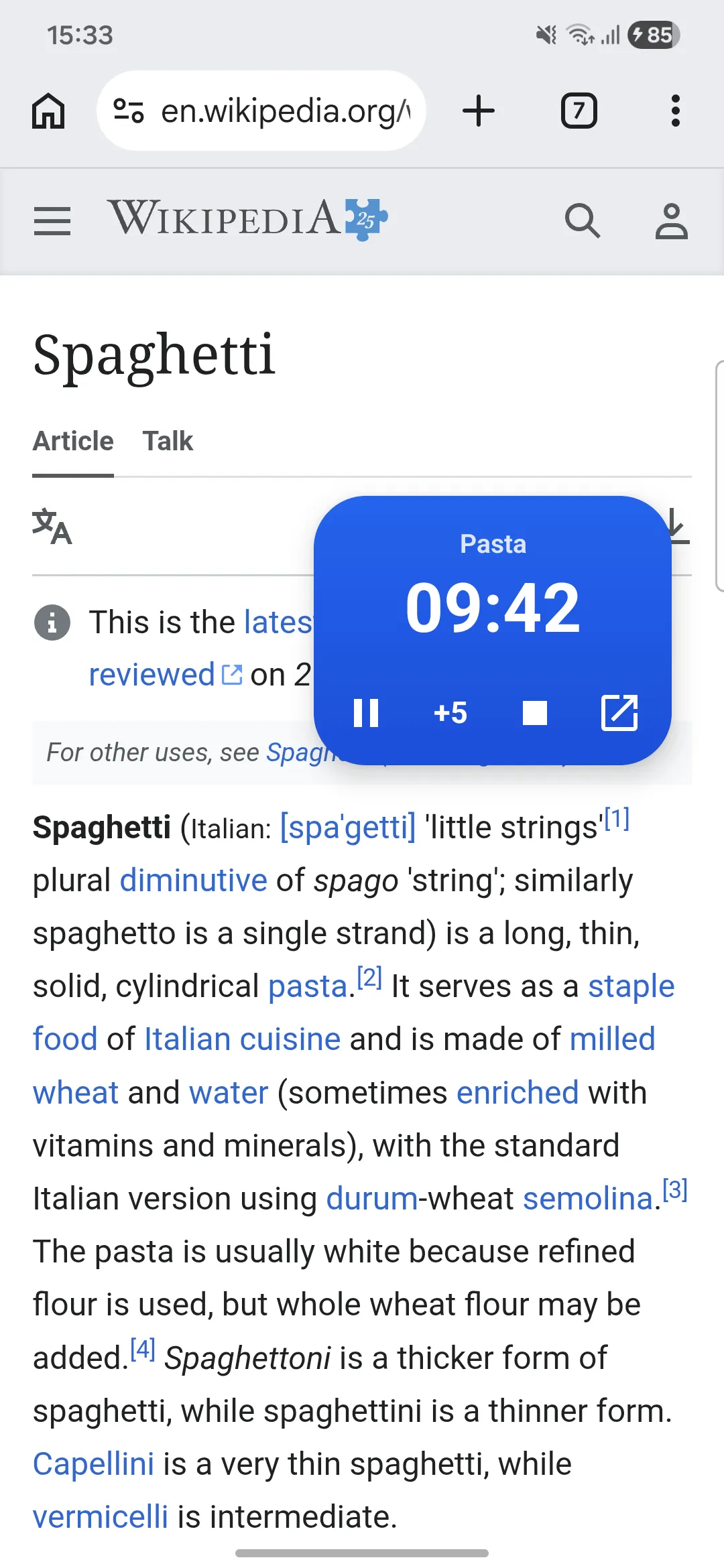
Live Update
The countdown in the status bar
On Android 16, on phones that support Live Updates, the time left sits in a small chip next to the clock, visible from any app, even with the floating pill turned off. When the pill is on screen the chip steps aside: one pill at a time.
A notification that counts by itself
Controls right in the notification
The countdown is in the notification too, updated by the system, with pause, +5 min, skip phase and stop. On phones with Live Updates it also sits in the status bar.
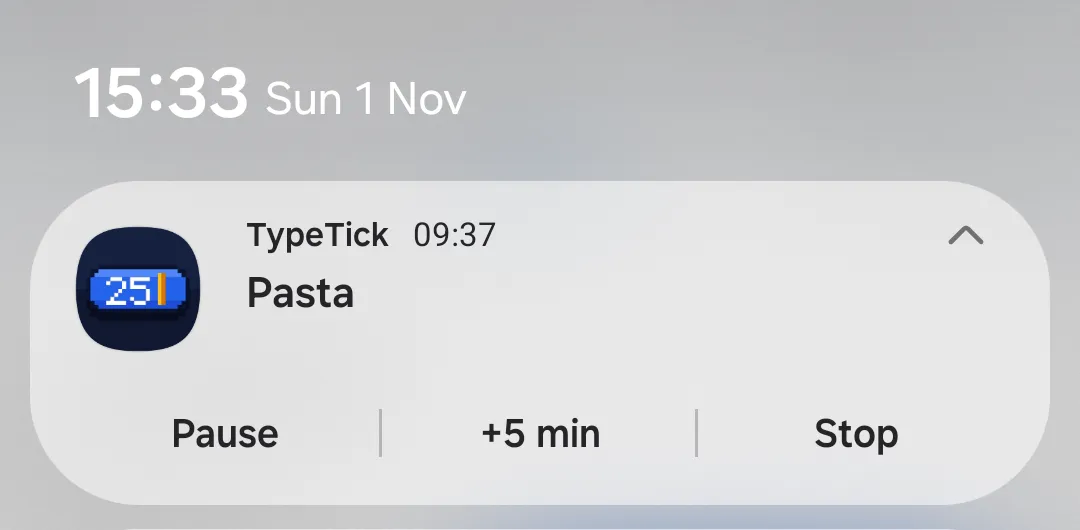
Rings when it should
Your alarm, even in Doze
At zero your phone’s alarm rings, even with the screen off, in battery saver or after a restart. Let it keep counting past zero, or start again by itself.
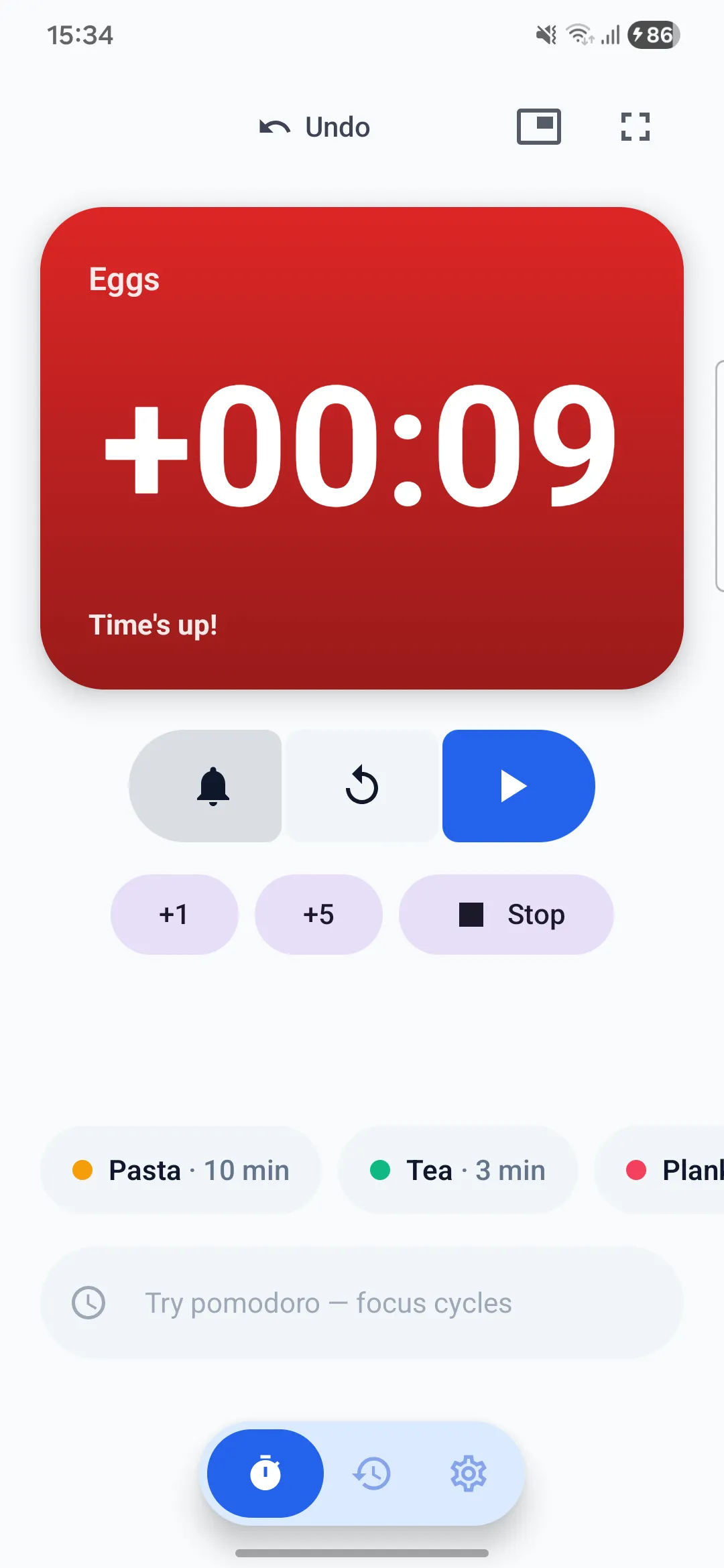
Pomodoro your way
Focus, break, repeat
Choose how long focus, break and long break last. Phases move on by themselves, with a vibration at each change.
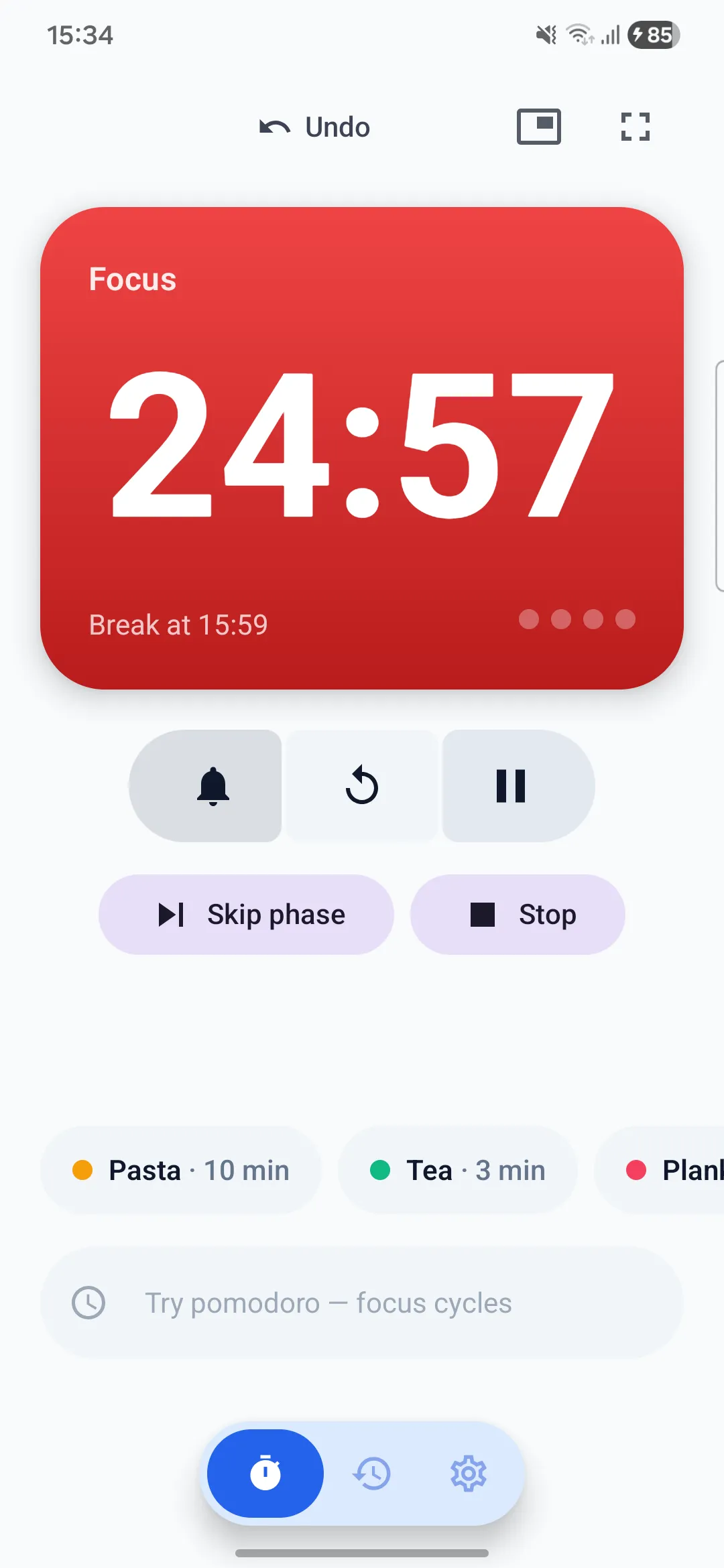
Recents and favorites
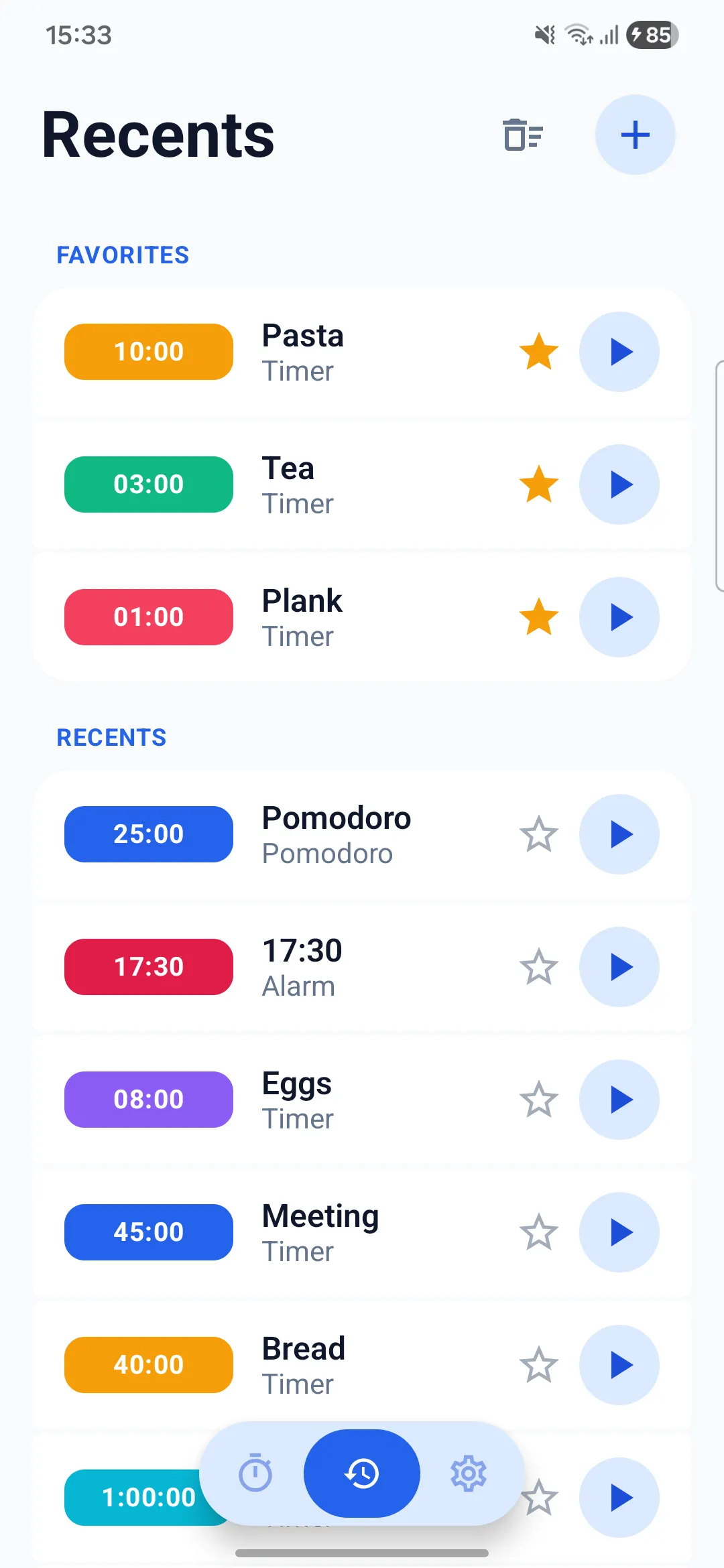
Your timers, one tap away
The timers you use come back with one tap. Star your favorites and give each a color: they show up as quick buttons on the main screen.
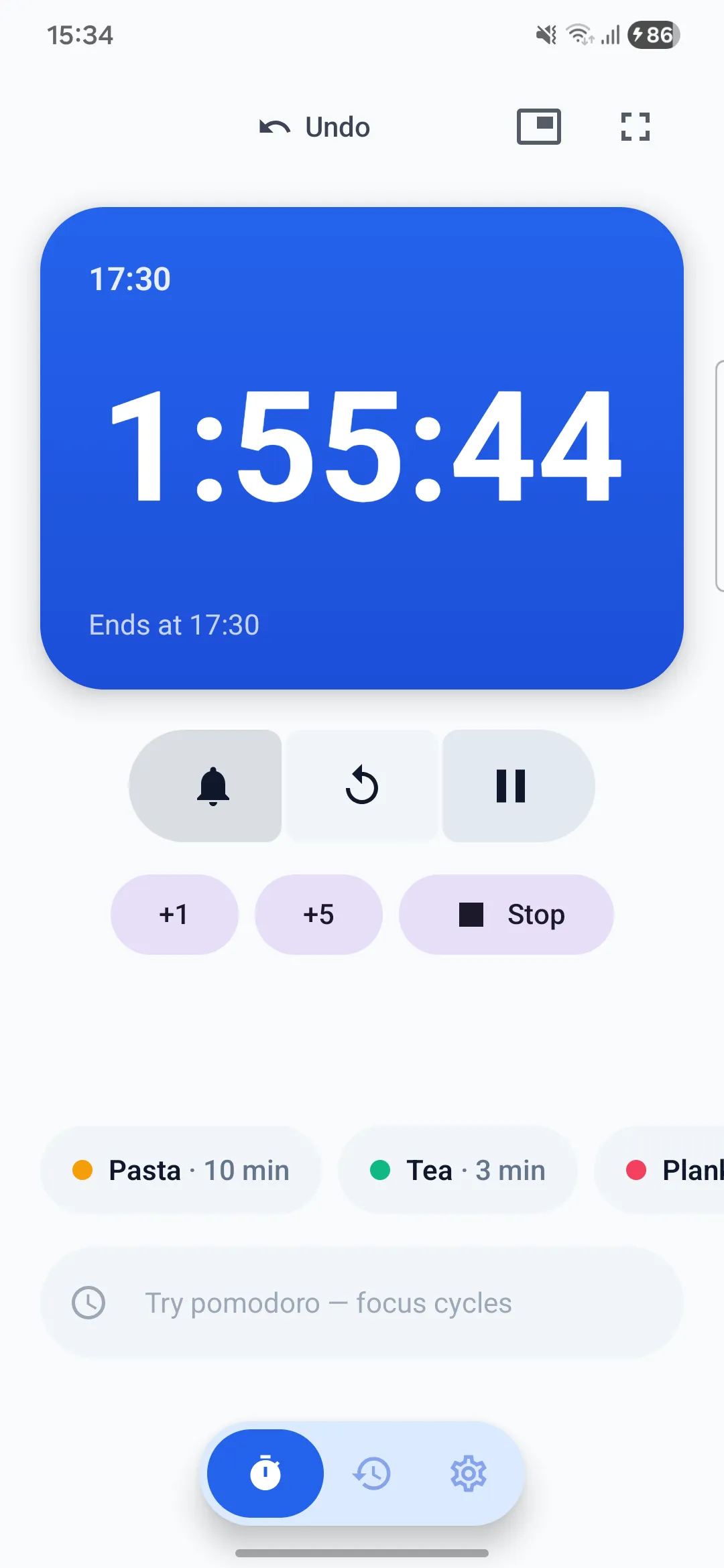
Until a time
Counts down to 5:30 pm
Write the time instead of the duration: TypeTick works out how long is left and shows when it ends.
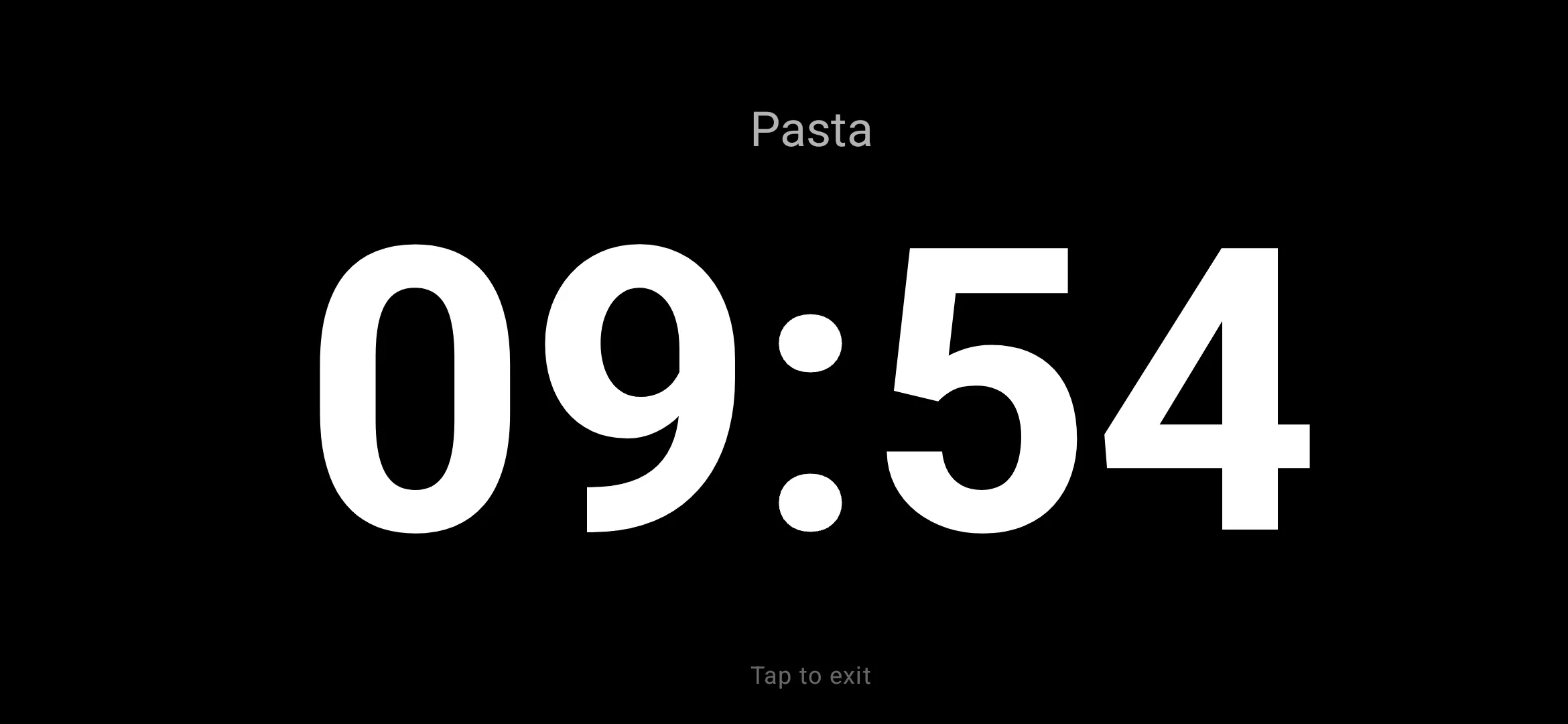
Full screen
Readable from across the room
One tap turns the timer into huge digits on a black screen, and the screen stays on: prop the phone up while you cook, train or study.
Private for real
- No account
- No ads
- No analytics
- No internet permission
Questions
Does it keep running with the app closed?
Yes. The timer lives in a notification and in the floating pill. At zero the alarm rings even with the screen off, in battery saver or after the phone restarts.
Why does it ask to display over other apps?
For the floating pill. Android lets you allow it only from Settings: open the list of apps, find TypeTick and turn the switch on. Without it, TypeTick works with the notification only.
Can I show only the notification, without the pill?
Yes. Turn off “Show automatically” in Settings › Floating window: the pill appears only when you ask for it with the Floating button.
What happens at zero?
Your alarm rings and the timer counts how long ago it ended. You can turn that off, or have the timer start again by itself.
Do my timers go anywhere?
No. TypeTick has no account and no internet permission: recents, favorites and settings stay on your phone. If Android backup is on, they are in your own Google backup, which the developer cannot see.
Type “5 min”.
That’s the whole manual.
Coming soon to Google Play